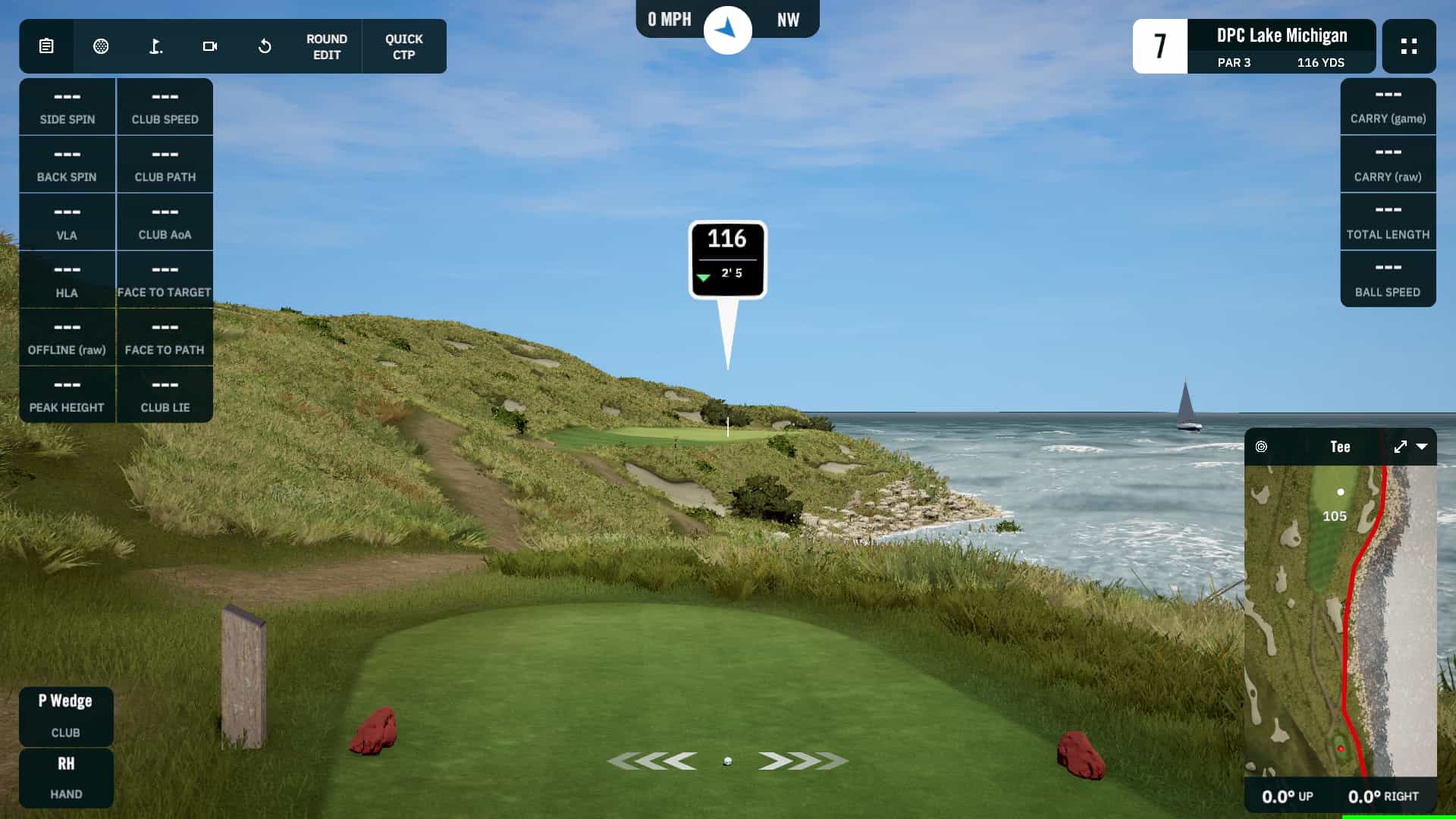
If there's one piece of equipment that makes or breaks your simulator experience, it's the launch monitor.
Everything else—the screen, the projector, the enclosure—is essentially theater. The launch monitor is the scientist. It's what measures your actual swing, tracks your ball, calculates distances, and determines whether your simulator gives you real, useful data or expensive guesswork.
This is also where the money goes. You can build a functional enclosure for under $500. You can find a decent projector for $800. But a launch monitor that provides tour-level accuracy? That's $6,000-$20,000.
The good news: you don't necessarily need tour-level accuracy. Let's break down what these devices actually do, how the technology works, and what you get at each price point.
What a Launch Monitor Actually Does
A launch monitor captures data about your swing and ball at the moment of impact, then uses that data to calculate ball flight.
What it measures (depending on the model):
Ball data:
- Ball speed: How fast the ball leaves the club face
- Launch angle: The vertical angle the ball takes off
- Spin rate: How much the ball is rotating (RPM)
- Spin axis: The tilt of that rotation (determines curve)
- Launch direction: Initial horizontal direction
Club data:
- Club head speed: How fast the club is moving at impact
- Club path: Is the club moving in-to-out, out-to-in, or straight?
- Face angle: Where the club face is pointing at impact
- Attack angle: Is the club ascending or descending into the ball?
- Impact location: Where on the face did you hit the ball?
What it calculates: Using physics models and the measured data, the launch monitor calculates:
- Carry distance
- Total distance (with roll)
- Apex height
- Descent angle
- Landing position
The accuracy of these calculations depends entirely on how accurately the initial measurements were captured.
The Two Main Technologies
Radar-Based Systems
How they work: Radar launch monitors emit microwave signals that bounce off the ball and club. By analyzing the Doppler shift of the returning signals, they can determine speed, direction, and spin.
Examples: Trackman, FlightScope Mevo/Mevo+, Garmin R10, Rapsodo MLM2 Pro
Pros:
- Can track the ball through its entire flight (outdoors)
- Very accurate ball speed and launch data
- Many models are portable
- Good at tracking driver and long clubs
Cons:
- Indoor use typically relies on calculations rather than full ball tracking
- Some models need more depth behind the ball to operate
- Metallic dots on the ball often required for spin readings indoors
- Some accuracy degradation with shorter clubs indoors
Best for: Golfers who want portability, outdoor use, or a lower price point with solid data.
Camera-Based Systems
How they work: High-speed cameras (often multiple) capture images of the ball and club at impact. By analyzing these images frame-by-frame, the system determines exactly what happened at the moment of impact.
Examples: Foresight GC3/GCQuad, Uneekor EYE XO2/EYE Mini, Bushnell Launch Pro
Pros:
- Extremely accurate measurements at impact
- Doesn't need to track ball flight—works perfectly indoors
- Generally doesn't need metallic dots on the ball
- Consistent accuracy across all clubs
Cons:
- Higher price point for most models
- Fixed position (less portable for outdoor range use)
- Requires proper lighting conditions
- Some overhead-mounted units require specific installation
Best for: Golfers prioritizing accuracy, primarily indoor use, and serious swing improvement.
Hybrid Approaches
Some newer launch monitors combine both technologies. The FlightScope X3C, for example, uses radar for ball tracking and a camera for club data. This can provide the best of both worlds but typically at a premium price.
Data Points Explained in Plain English
Let's demystify what these numbers actually mean and why you should care.
Ball Speed
What it is: The velocity of the ball immediately after it leaves the club face, measured in mph.
Why it matters: Ball speed is the primary driver of distance. Higher ball speed = more distance. It's affected by club head speed and how purely you strike the ball (center of face vs. toe/heel).
What to look for: Consistency first, then improvement. If your driver ball speed varies from 130 to 150 mph, you have strike consistency issues to address.
Launch Angle
What it is: The vertical angle at which the ball leaves the club face, measured in degrees.
Why it matters: Launch angle, combined with spin, determines trajectory. Too low and the ball doesn't carry. Too high and you lose distance to ballooning.
Optimal ranges: Drivers typically optimal at 10-15 degrees; irons increase with loft (7-iron around 16-19 degrees).
Spin Rate
What it is: How fast the ball is rotating after impact, measured in revolutions per minute (RPM).
Why it matters: Spin creates lift and affects both distance and stopping power. Too much spin on a driver costs distance; too little spin on wedges means less control.
Typical ranges: Driver: 2,000-3,000 RPM (lower for faster swings); 7-iron: 6,000-8,000 RPM; wedges: 9,000-12,000+ RPM.
Spin Axis
What it is: The tilt of the ball's rotation axis, measured in degrees. Zero is pure backspin; positive tilts right (clockwise), negative tilts left.
Why it matters: Spin axis determines curve. A +10 degree spin axis produces a fade/slice. A -10 degree produces a draw/hook. The further from zero, the more the ball curves.
What to look for: Consistency of spin axis indicates consistency of swing. Wild variations mean your swing path and face angle relationship is inconsistent.
Club Head Speed
What it is: The velocity of your club at the moment before impact, measured in mph.
Why it matters: Club speed is your raw power potential. Combined with smash factor (how efficiently you transfer that speed to the ball), it determines how far you can hit it.
Typical ranges: Average male golfer: 93 mph driver. Average female golfer: 72 mph. PGA Tour average: 114 mph.
Club Path
What it is: The direction the club head is moving at impact, relative to your target line. Measured in degrees.
Why it matters: Club path is a major factor in shot shape. Positive path (in-to-out) promotes draws. Negative path (out-to-in) promotes fades/slices.
What to look for: The relationship between club path and face angle determines ball curve. Neither path alone is "bad"—many great players have positive or negative paths by design.
Face Angle
What it is: Where the club face is pointing at impact, relative to your target line.
Why it matters: Face angle is the dominant factor in where the ball starts. The ball starts roughly 75-85% in the direction of the face (with path accounting for the rest).
What to look for: If your face is 5 degrees open at impact, your ball is starting right regardless of path. Consistent face control is often more important than path.
Attack Angle
What it is: Whether the club is moving up or down at impact. Positive is ascending (hitting up); negative is descending (hitting down).
Why it matters: Optimal attack angle varies by club. Drivers work best with a slightly positive attack angle (hitting up). Irons work best with a negative angle (hitting down, creating divot after the ball).
Typical ranges: Driver: +3 to +5 degrees. 7-iron: -3 to -5 degrees.
Smash Factor
What it is: The ratio of ball speed to club speed. Calculated by dividing ball speed by club speed.
Why it matters: Smash factor measures efficiency of strike. A centered hit produces a higher smash factor than a toe or heel hit.
Optimal values: Driver: up to 1.50. Irons: slightly lower (1.38-1.45 for a 7-iron).
Budget Tiers: What You Get at Each Level
Entry Level: $500-$1,500
Options: Garmin R10 ($600), FlightScope Mevo ($500), Rapsodo MLM2 Pro ($700), Swing Caddie SC4 ($500)
What you get:
- Basic ball data (speed, launch, spin, distance)
- Limited or estimated club data
- Simulator compatibility with some software
- Portable, easy setup
- Accuracy within 3-5% on most metrics
What you're missing:
- True measured club data (often estimated)
- Highest level of accuracy
- Consistent indoor spin readings (may need metallic dots)
- Professional-grade reliability
Best for: Golfers new to simulators, budget-conscious buyers, those prioritizing portability, or anyone who wants to test the waters before investing more.
Reality check: At this level, you'll see some inconsistencies. A pure strike might read 5 yards shorter than expected; a mishit might not be penalized accurately. For practice and fun, this is fine. For serious data analysis, you'll eventually want more.
Mid-Range: $2,000-$6,000
Options: Mevo+ ($2,200), FlightScope Mevo+ Pro Package ($3,000), Foresight GC3 ($5,500), Bushnell Launch Pro ($3,000), Uneekor EYE Mini Lite ($4,000)
What you get:
- Highly accurate ball data
- True measured club data (most models, some require add-ons)
- Professional-grade reliability
- Excellent simulator integration
- Accuracy within 1-2% on most metrics
What you're missing:
- Some features may require subscription add-ons
- Not quite the absolute pinnacle of accuracy
- Some models have specific space/setup requirements
Best for: Serious golfers building a permanent home setup, those who want data they can trust for improvement, club fitters, and teaching professionals on a budget.
Reality check: This is the sweet spot for most home simulator owners. You get data accurate enough to make real swing changes, reliable enough for serious practice, and at a price that doesn't require refinancing your house.
Premium: $8,000-$20,000+
Options: Foresight GCQuad ($14,000), Foresight GC3 with full data ($7,000+), Uneekor EYE XO2 ($10,000), Trackman 4 ($20,000+), Full Swing Kit ($5,000-$18,000)
What you get:
- Tour-level accuracy on all metrics
- Complete ball and club data
- Multiple camera/radar systems for redundancy
- Used by PGA Tour professionals
- Often includes premium software
- Accuracy within 0.5-1% on most metrics
What you're missing:
- Nothing, data-wise
- Your budget might be missing a few zeros
Best for: Those who demand absolute accuracy, teaching professionals, club fitters, serious competitive golfers, or anyone who simply wants the best.
Reality check: Is the difference between 98% and 99.5% accuracy worth $10,000? For most home users, probably not. You'll improve your game just as effectively with a GC3 as a GCQuad. But if precision matters to you—or if you're using the data professionally—premium monitors deliver.
The Hidden Cost: Software Subscriptions
Here's what catches many buyers off guard: the launch monitor is only part of the cost.
Most launch monitors require separate software for the full simulator experience. The monitor provides data; the software provides the visual courses, driving range, and gameplay.
Common software options:
E6 Connect: $300/year subscription. Polished, beautiful courses, great multiplayer. Industry standard for many setups.
GSPro: ~$250 one-time purchase. Community-developed, massive course library (30,000+ courses), active development. Best value for many users.
TGC 2019/2024: $900-$1,200 one-time purchase. Stunning graphics, realistic ball physics, course designer tool.
Awesome Golf: Free (with paid upgrades). Improving rapidly, surprising quality for no cost.
Creative Golf 3D: Lower cost option, solid feature set.
Different launch monitors integrate with different software. Before buying, verify that your launch monitor works with the software you want.
Also factor in:
- Some launch monitors have tiered data packages (e.g., Bushnell Launch Pro charges extra for full club data)
- Some require subscriptions for certain features
- Firmware updates may require registration/subscription
Read the fine print on your launch monitor's full cost of ownership, not just the sticker price.
Matching Launch Monitor to Your Space
Remember those space dimensions from Article 2? They matter here.
Radar-based monitors (Mevo, Garmin R10, Rapsodo)
- Typically need 6-8 feet of depth behind the ball
- The monitor sits behind you, tracking the ball forward
- This extends your total depth requirements
Camera-based floor units (GC3, GCQuad, Bushnell Launch Pro)
- Sit to the side of the ball, pointed at impact
- Need less depth behind the ball
- Better for tighter spaces
Overhead camera units (Uneekor EYE XO2, EYE Mini)
- Mount to the ceiling, looking down
- No floor space required
- Need adequate ceiling height for mounting (typically 9+ feet)
- Great for maximizing limited floor space
If your depth is limited (under 16 feet), camera-based floor or overhead units may work better than radar.
If your ceiling is limited (under 9 feet), floor-mounted units (radar or camera) are your only option.
What About Accuracy Claims?
Every launch monitor claims high accuracy. Here's how to interpret those claims:
"Within 1 yard of actual": This sounds great, but is it under ideal conditions or real conditions? What's the methodology?
"Tour-trusted": Meaningful if true. Trackman and Foresight devices are genuinely used on tour. Others use this phrase more loosely.
"Comparable to [premium brand]": Often marketing spin. Ask for independent testing data.
The truth: For 95% of home simulator users, any mid-range or higher launch monitor provides data accurate enough to improve your game. The difference between 98% and 99.5% accuracy is real but irrelevant for most amateurs.
What matters more is consistency. A monitor that's consistently 2% high on ball speed is more useful than one that's randomly 3% high or low. Consistency lets you track improvement. Randomness is just noise.
Questions to Ask Before Buying
- What data is included vs. extra cost? (Especially club data)
- What software does it integrate with?
- What are the space requirements?
- Does it require metallic dots on the ball for indoor use?
- What's the warranty and support like?
- Can I try before I buy? (Many golf shops have demo units)
My Recommendation for Most Home Simulators
For the average golfer building their first home simulator, I recommend the $2,000-$5,000 range: Mevo+, GC3, Bushnell Launch Pro, or similar.
You get data accurate enough to genuinely improve your game, reliable enough to trust during practice, and flexible enough to grow with you. Entry-level monitors will leave you wanting more within a year. Premium monitors are amazing but overkill for most home users.
Save the budget you'd spend upgrading from mid-range to premium and put it toward a better mat, screen, or projector instead. Your joints and eyes will thank you more than the extra 1% accuracy.
What's Coming Next
The launch monitor captures the data. Now let's talk about what absorbs the impact—and protects your body in the process. In Article 4, we'll dive deep into hitting mats: why cheap mats destroy your joints, what "turf shock" really means, and which mats are worth the investment.
This is where many golfers skimp and later regret it. Don't make that mistake.
Next up: Hitting Mats: Protecting Your Body While You Practice
Questions about launch monitors? Not sure which tier is right for your setup? Drop them in the comments.
Sign in to leave a comment
No comments yet. Be the first to comment!